
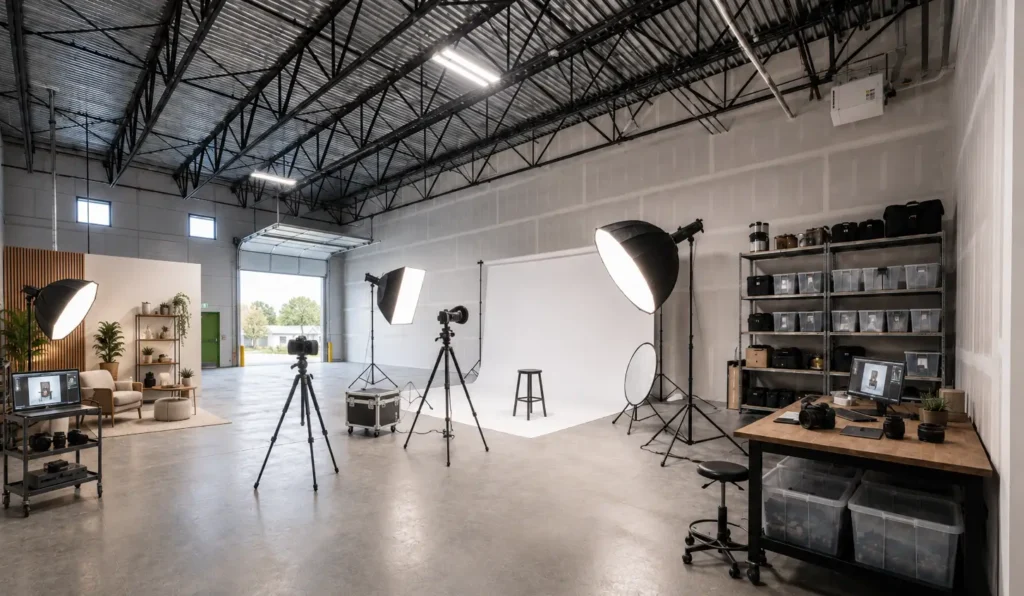
You rent the studio for four hours. You load the car, haul in the cases, build the backdrop, set the lights, shoot, then break it all down and load the car again. By the time the client walks out, half of what you paid went to setup and teardown.
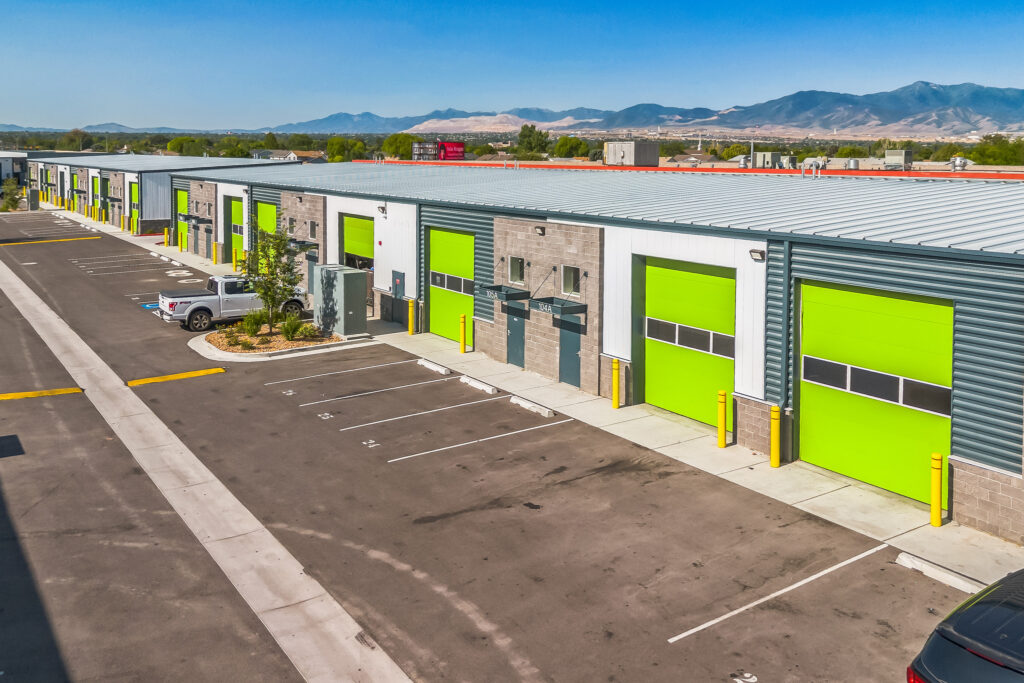
Do that math every month and warehouse space starts to make sense. WorkBay spaces are industrial warehouse units, not commercial photo or video studios. But for a creative running their own business, a bay is a space you can set up once, control, store your gear in, and come back to without starting over every shoot.
Why Visual Creatives Are Moving to Permanent Bays
Hourly studio space is useful when you only need a room once in a while. It gives you access for the shoot, then the clock runs out. That works until your schedule gets busier.
Once you’re booking the same kind of space a few times a month, the question shifts. It stops being “Where can I shoot this?” and becomes “Would my own space make this easier?
That is where a content creator workspace starts to make sense. Instead of rebuilding your setup every time, you can leave your core layout in place. The backdrop wall stays up. The lighting zones stay marked. The product table does not need to be folded and carried home. The gear does not live in your trunk, hallway, garage, or storage unit.
For some photographers and videographers, renting by the hour is still the right move. For others, photographer warehouse space gives them something hourly space cannot: control over the room before, during, and after the shoot.
Run your own breakeven
How many bookings does a bay replace?
Monthly bay cost ÷ cost of one hourly studio booking = bookings to match the bay
Anything past that number is space you are no longer paying twice for. Then add the costs that never hit the invoice: travel, loading, teardown, schedule limits, and storage stress.
What a Photo or Video Bay Actually Needs
A bay does not need to look finished on day one. It needs to support the way you work. The right photographer warehouse space depends on what you shoot, how much gear you carry, whether clients visit, how much light control you need, and how often you record sound. Before you lease, walk the specific bay and ask the local team how that unit fits your setup.
The six things below decide whether a unit fits your work. Check each one on tour, with your real gear in mind.
Clearance
Enough height for your tallest backdrop, boom arm, or overhead light. Varies by park, building, and unit, so confirm it on tour.
Electrical
Power to run lights, monitors, computers, and chargers at the same time. Ask where outlets are and how the panel is accessed.
Loading Access
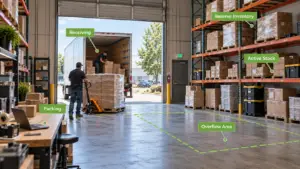
A clear cart path from the vehicle to the unit for cases, c stands, seamless rolls, and set pieces.
Light Control
The option to go dark or use daylight, depending on whether you shoot product, portrait, or video.
Sound and Neighbors
Surrounding use types that fit interviews, podcasts, or video with live audio.
Storage and Staging
A home for backdrops, stands, props, and client products between shoots so the floor stays open.
Start with clearance. The question is not “Does the building have high ceilings?” It is “Does this exact bay give me enough room for my tallest setup without forcing me to rebuild every angle?”
Check the electrical setup, because not every bay is wired the same way.
- Decide whether you need natural light. Some bays don’t get much beyond what comes in when the garage door is up, so know what your work requires before you commit.
- If you’re recording audio, check with your neighbors before you book a shoot day, since noise from the bays around you can ruin a take.
- Plan your storage. You want clear space for gear that’s ready to go, separate from the props, backdrops, and sets you’re still building. Think about shelving and organizers to keep the space clear.
The only way to really know is to walk the space yourself. Find a WorkBay location near you and book a tour. Bring your questions, and the onsite manager can walk you through anything you’re unsure about.
Setting Up Your Space for Production Work
Setting up a photography studio inside a bay comes down to how you divide the space. You don’t have to finish every corner at once. Start with the part that earns its keep first: the shooting area where you’ll actually work.
Pick your cleanest wall or corner and make that your main production zone. Then sort out your lighting. Think about where the key light sits, where stands might trip you up, and how the cords will run. None of this has to be elaborate. Tape marks on the floor, labeled shelves, and a set spot for your stands are enough to make the next shoot go faster.
From there, build a gear wall to keep the floor open, and set up a staging area near the entry so loading and unloading doesn’t end up in the middle of the room. If clients come to you, give the front corner a clean, finished look so the space reads as professional.
For more layout ideas, read WorkBay’s bay setup guide. The best setup follows the work you actually do, not someone else’s idea of what a studio should look like.
Four zones that make a bay reset fast
Backdrop wall or product sweep on your cleanest wall.
Marked key light, stand spots, and cord runs.
Shelves and racks that keep the floor open.
Entry space for client products and the next shoot.
Common Setups WorkBay Sees from Visual Creatives
No two creative businesses build out a bay the same way. These are the five setups that come up most often.
Headshot and portrait studio
Clean backgrounds, controlled light, room for stands, and a client friendly corner kept ready instead of rebuilt every session.
Product photography
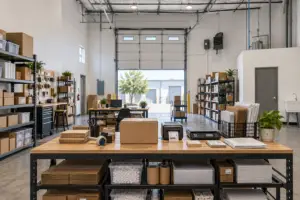
Tables, props, backdrops, packing supplies, and client inventory in one place so small parts and client items do not get mixed up.
YouTube and video content
A repeatable talking head setup, product review table, lighting positions, and gear wall so the next video skips the full reset.
Brand content production
Room to store lifestyle props, a mock retail shelf, a workbench, or a styled corner for sets that change shoot to shoot.
Audio and video hybrid
Works well when the specific unit and surrounding uses fit live audio, which is exactly why the tour questions matter.
What to ask when you tour a bay
- Clearance: Can this unit handle my tallest backdrop, boom arm, or set piece?
- Electrical: Where are the outlets and how is the panel accessed for running lights and monitors at once?
- Loading: Where do I park and what path does my gear take from the vehicle to the bay?
- Light: What natural light enters this unit and how can I block it for a dark set?
- Sound: What businesses are nearby and would this unit fit interviews or podcasts?
- Layout: Where would the team place the shoot zone, storage, and client corner, and are there park rules?
Find a Bay in Your Market
If you’re weighing your options, start with what you need the space for. Do you need a finished studio for a single shoot, or a space you can return to every week and make your own?
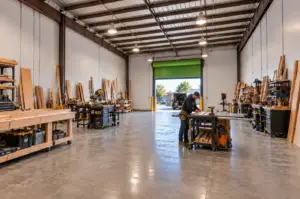
WorkBay bays are industrial flex units that creative business owners can configure around the way they work. For photographers and videographers, that can mean a permanent shoot area, a gear wall, a staging zone, and a cleaner way to welcome clients when the work calls for it.
See WorkBay’s studio space options for creative businesses to learn more about how creative businesses use bay space.
Stop renting studio time by the hour
Tour a WorkBay bay and picture your shoot area, gear wall, and staging zone in a space you build out once and come back to.
Find a Location and Book a TourYes, many photographers and videographers set up a bay as a permanent shoot space, with room for a backdrop, lighting, gear storage, and staging. Keep in mind these are industrial flex units rather than finished commercial studios, so book a tour to see if a specific bay fits your setup.
It depends on your tallest setup, such as overhead lights, boom arms, and backdrop stands. Clearance varies by park, building, and unit size, so confirm it during your tour with your actual gear in mind.
Studio lights, monitors, computers, and chargers can pull power at the same time. Power setups differ between units, so ask the local team where the outlets are, how the panel is accessed, and what they recommend for your equipment.
It depends on how often you shoot. Run a breakeven: divide the monthly bay cost by what you spend on one hourly booking to see how many bookings match the bay. Then factor in travel, loading, teardown, and storage time that hourly space does not save you.
Yes, some of our tenants run podcasts out of their bays. Sound depends on the neighboring businesses and the time of day, so you’ll want a bay where that works for your recording schedule. Most parks can be made quiet enough with some soundproofing, like acoustic foam, though you’ll need our approval before installing anything. Book a tour and ask about the businesses nearby so you can find a bay that fits.